
Cornerstone Web Design
Sector: Religious Organization
The Challenge: Provide Cornerstone with a website that works well with their outreach goals and helps them grow their congregation.
My Role: Website Layout Design, Website Development, User Research, Technical Training
Project Length: Three Months
This project was part of a broader goal to provide Cornerstone with a Communications Overhaul and Rebrand. I partnered with an associate from college. (His role was to design their new brand image, create signage, and help them leverage social media.) I used brand assets created by my partner to layout Cornerstone’s final website.
Understanding Cornerstone’s Goals
After consulting leadership members, we learned that their main goals were to grow their congregation and ensure the church's longevity. Rather than providing the church with deliverables that looked purely visually appealing, we wanted to create something that helped them reach these goals.
My role in this project was to provide the church with a new website. So with these goals in mind, I wanted to focus on making their new site a tool for outreach and a resource for current members.
UX Research
Competitive Audit
Before deciding anything about content and information architecture, I wanted a solid baseline for how a great church website looks. This way, I could determine the best way to guide the user and prioritize important information.
I looked at other church websites to understand the information and features they prioritized. I took notes on what worked well for these sites and what could be improved.
Information Architecture
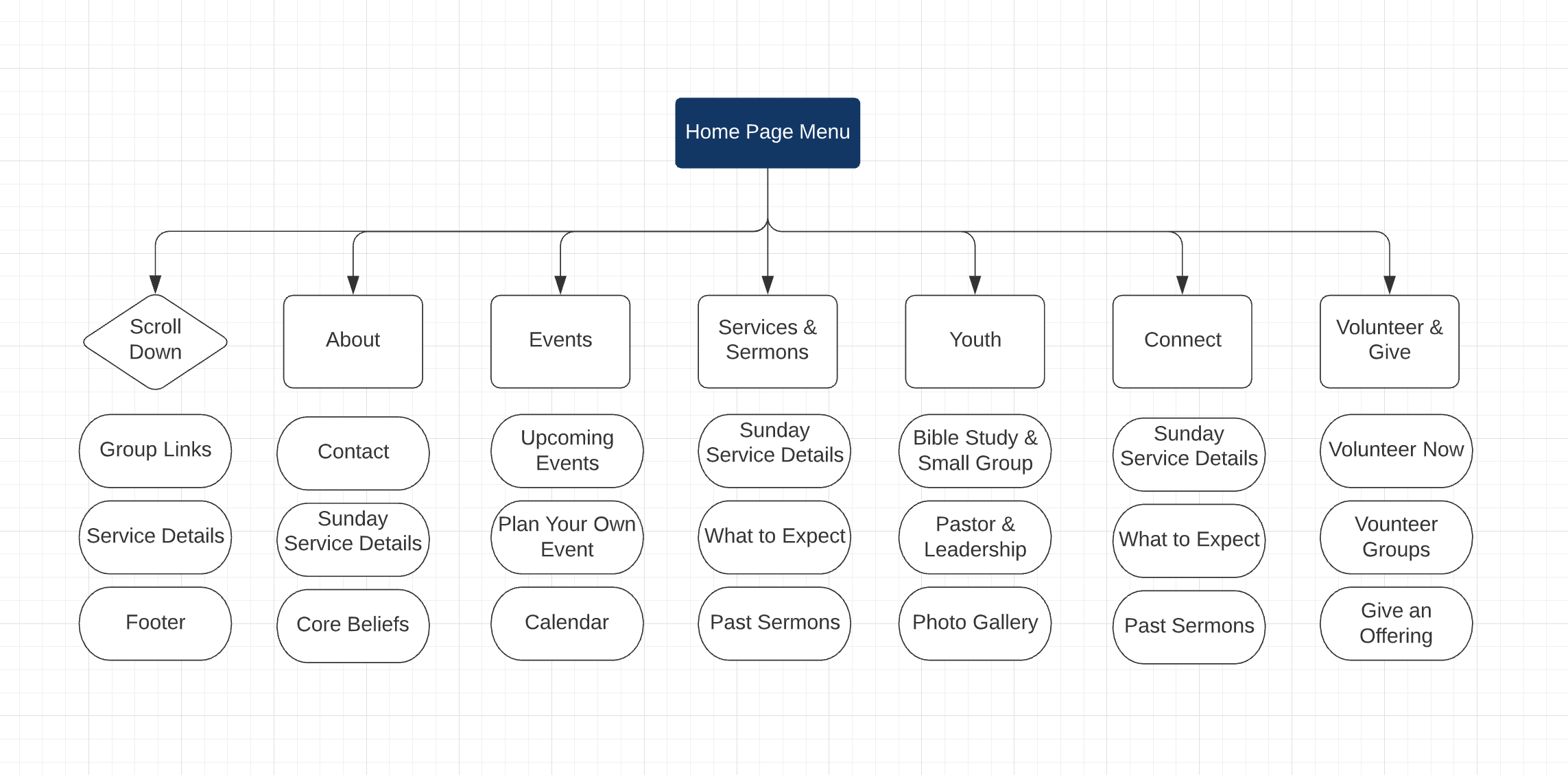
It was not too difficult to develop a content outline since Cornerstone Leadership had an idea of what information would be helpful to their congregation. After I talked to them about what features to include to help them with outreach, we decided on the preliminary specifications for the site.
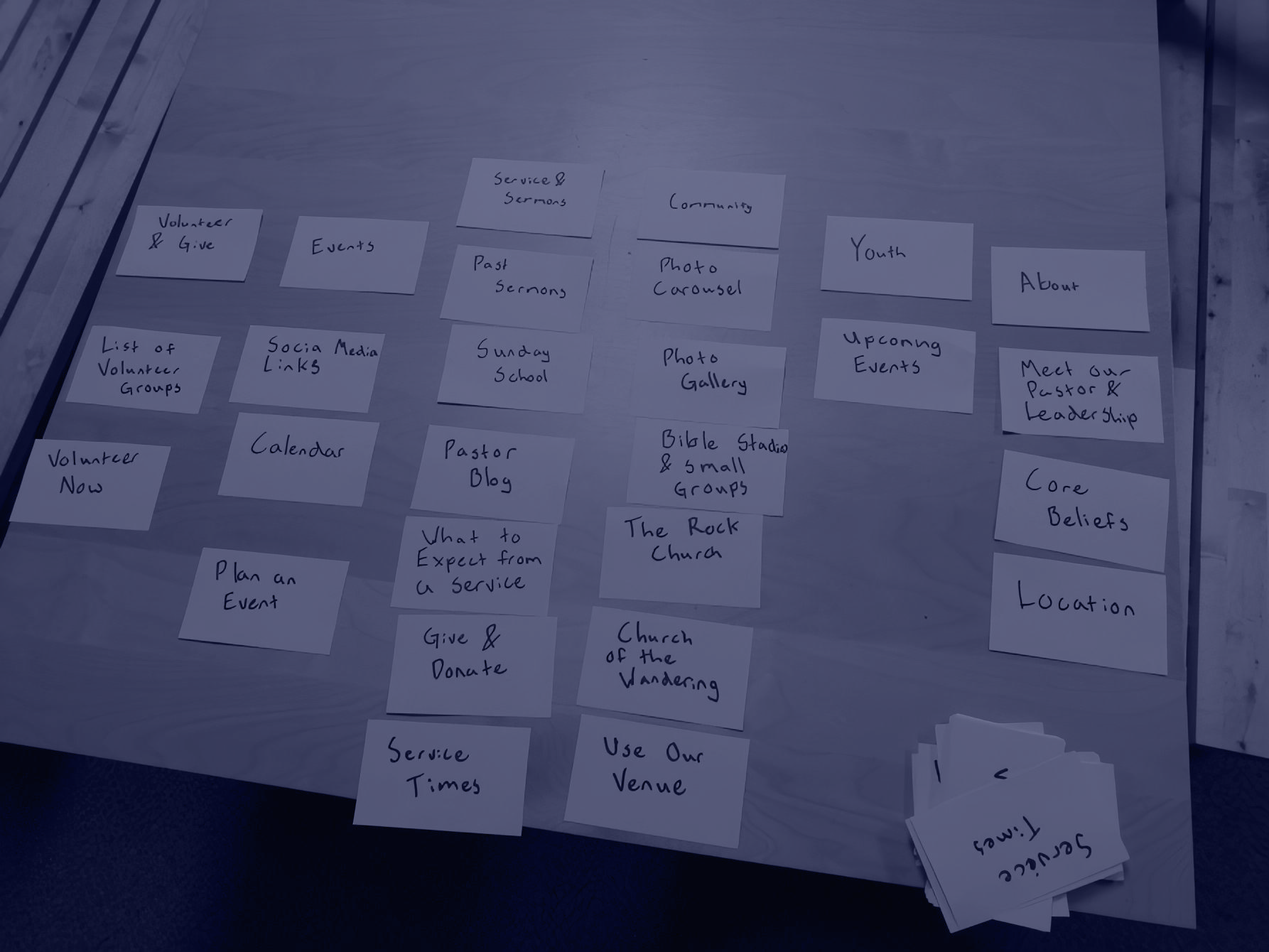
Now that I knew what information and page sections to include on the site, I wanted to get feedback from congregation members and determine the best way to organize it. I did this by hosting a UX Workshop after a church service and conducting a card sort.
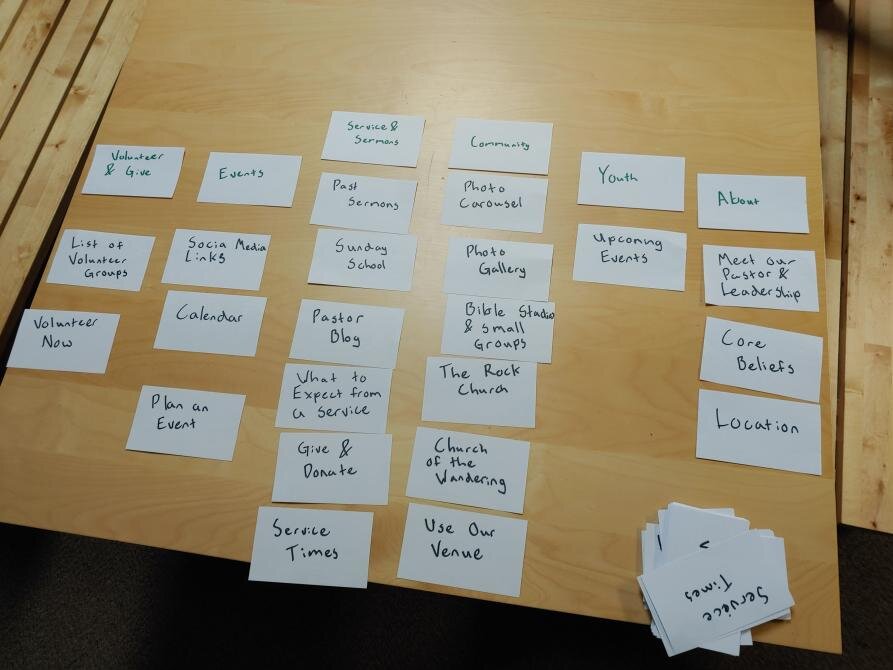
Members were able to sort information into what they felt were logical categories. This process helped us organize content in a way that is more intuitive for potential users. It was also an opportunity to chat with members about the website and get invaluable qualitative feedback.
Wireframing
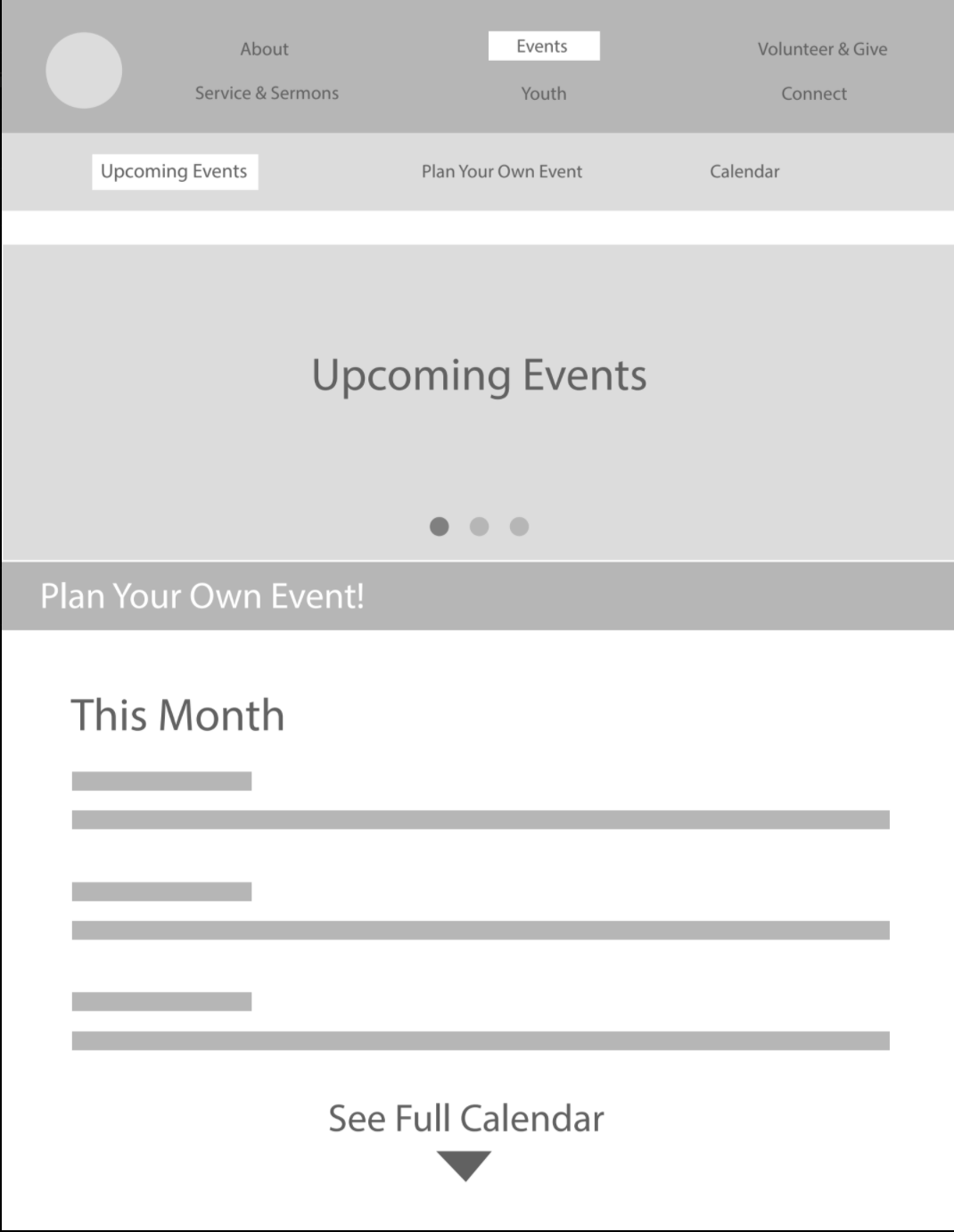
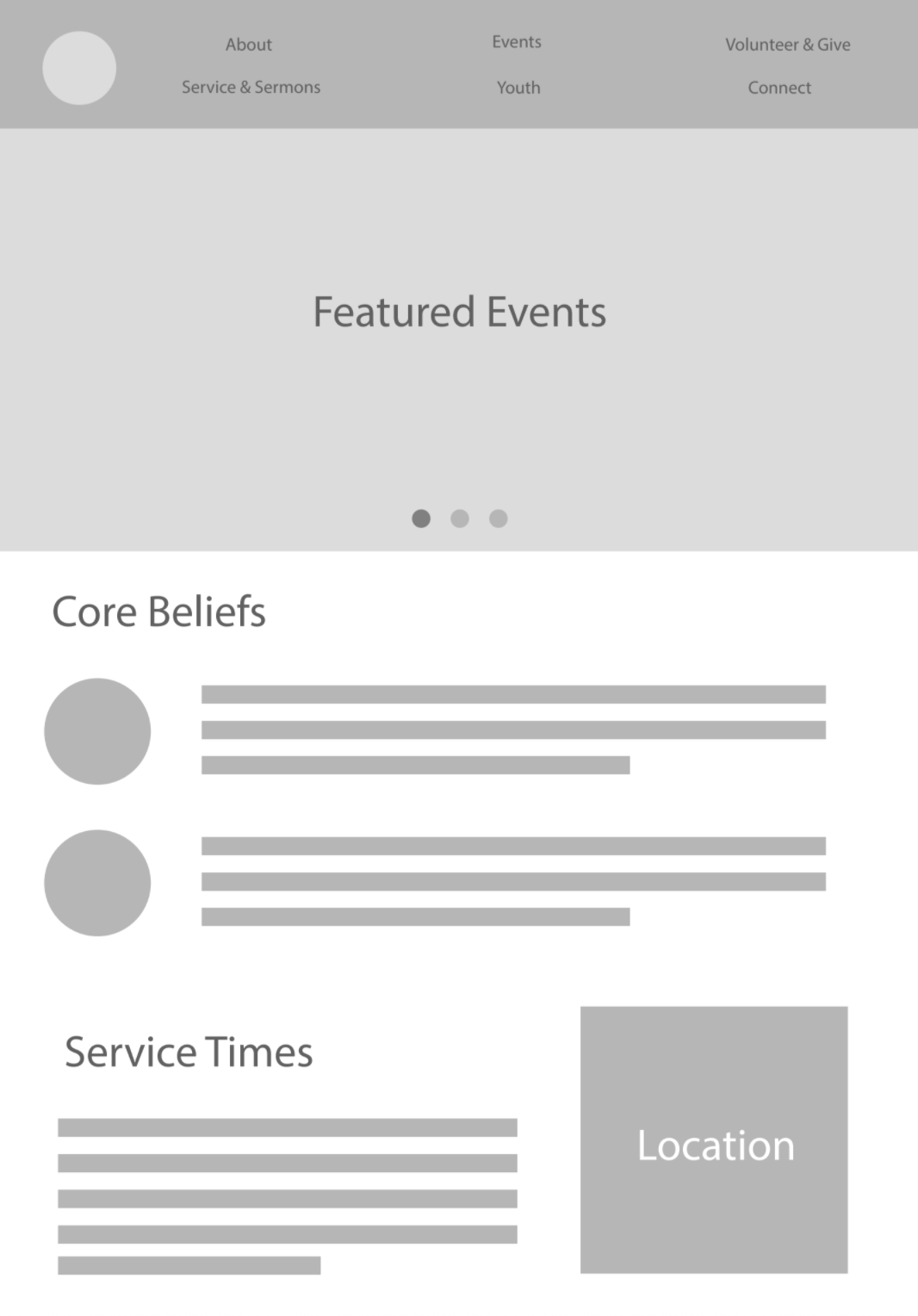
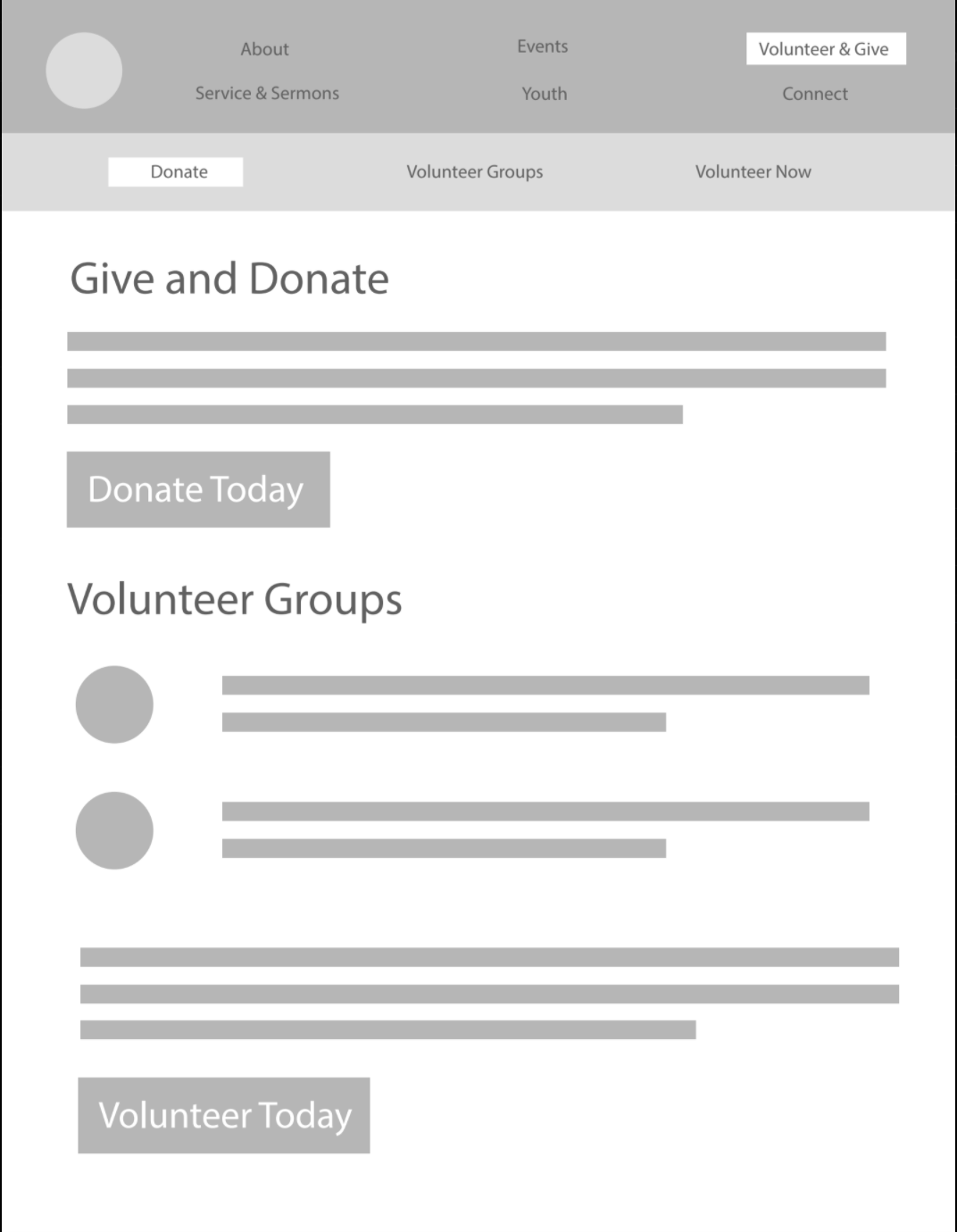
The final step before getting into development was to have the client approve a wireframe using the newly generated site structure. I created an initial wireframe that demonstrated interaction and layout. Then I talked to them about the user's navigation of the site and tried to leverage their knowledge about the average church member. After making a few changes, we decided on a final, more intuitive layout.
Website Development
Summary (Not Technical)
I created a mockup to demonstrate how the final design would look using my business partner’s brand assets and presented it for the client's approval. After that, it was time for development.
I began by researching the best tools for the job. After deciding what technology I would use, I spent about five weeks developing the site. After deployment, I updated the site based on user feedback. For instance, I made sure links were easy to click and corrected some behavior issues on specific mobile devices. The final product was responsive, brand consistent, and user-friendly.
I completed the final layout of their website using my partner’s brand assets.
While finishing up, I added extra interactions that enhanced their branding. (The bible is an integral icon of their brand.)
Choosing Technologies (Technical)
For this project, I decided to use a Headless CMS API. Unlike more common content management tools (such as WordPress), a Headless API completely decouples the front-end from the content. This allows our client to focus on creating without worrying about brand styling and organization. It ensures front-end freedom, making brand customizability more feasible.
Here is the particular “Headless CMS Stack” that I chose:
Jekyll: Open source static site generator. (A web templating language like PHP except for generating static content.)
Netlify CMS: Open-source CMS API. This API provides a front end for our client to manage content.
Netlify.com: A free tool that builds and deploys the site. (In this case, deploying to Netlify’s servers for hosting—also free.)
GitHub.com: Backend solution with versioning. (This project’s storage requirements were small enough to fall under the free tier.)
The client inputs content through Netlify CMS, Netlify passes that content to Jekyll, Jekyll builds a static site, and Netlify.com deploys that site to Netlify servers.
Benefits of These Technologies (Not Technical)
Here are the benefits of the technology that I chose:
Cost-effective: The technology that I chose was completely free, even hosting.
Simple: My client does not have to worry about maintaining a visual style when creating new pages. All my client has to do is input content, and the system applies brand consistency.
Customizable: The website interface could be customized to suit the brand with virtually no limitations.
Secure: The resulting live website is very secure. It is entirely static, creating a limited attack surface. (The project did not require a dynamic site, just one that could be updated.)
Training Leadership
At the end of the project, I did whatever I could to help train leadership. Since Cornerstone was a smaller organization new to handling digital outreach, I wanted to be flexible and provide assistance wherever needed. I did not just train them on content management—I used remote desktop software to help them with various social media, including live-streaming their service during the Covid-19 pandemic.
Conclusion
I had to wear many hats to reach our goals. I developed practical solutions to problems with limited resources while accommodating the needs of the congregation. It was all worth the effort because it enabled Cornerstone to connect with their community throughout the Covid-19 pandemic using their site and live-streaming. This process resulted in a clean website and content management system that our client could easily use. We were able to accomplish all of the goals we had laid out for ourselves; the project was a success.